
1. Log into your admin portal
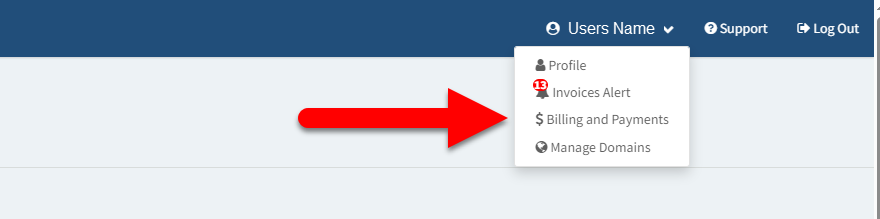
2. Once on the dashboard page select your name in the top right corner of the screen, followed by selecting the Billing and Payments dropdown option.
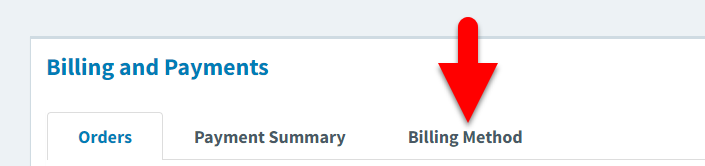
3. Once on the Billing and Payments page, select the Billing Method tab (3rd option) to display your current card details on file.
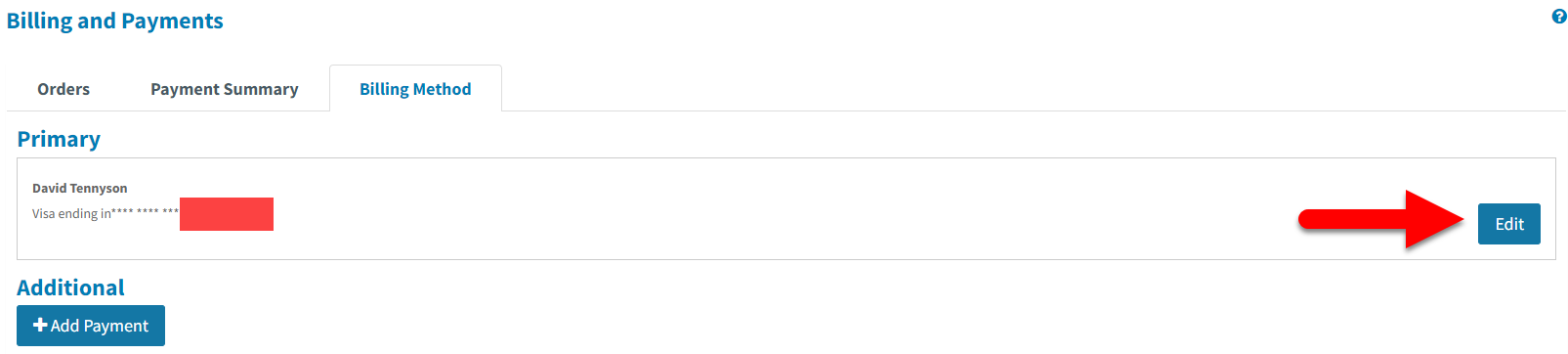
4. Find the Primary card in use then select the blue Edit button to open your card details.
5. Update your card details in the fields provided then select Save.