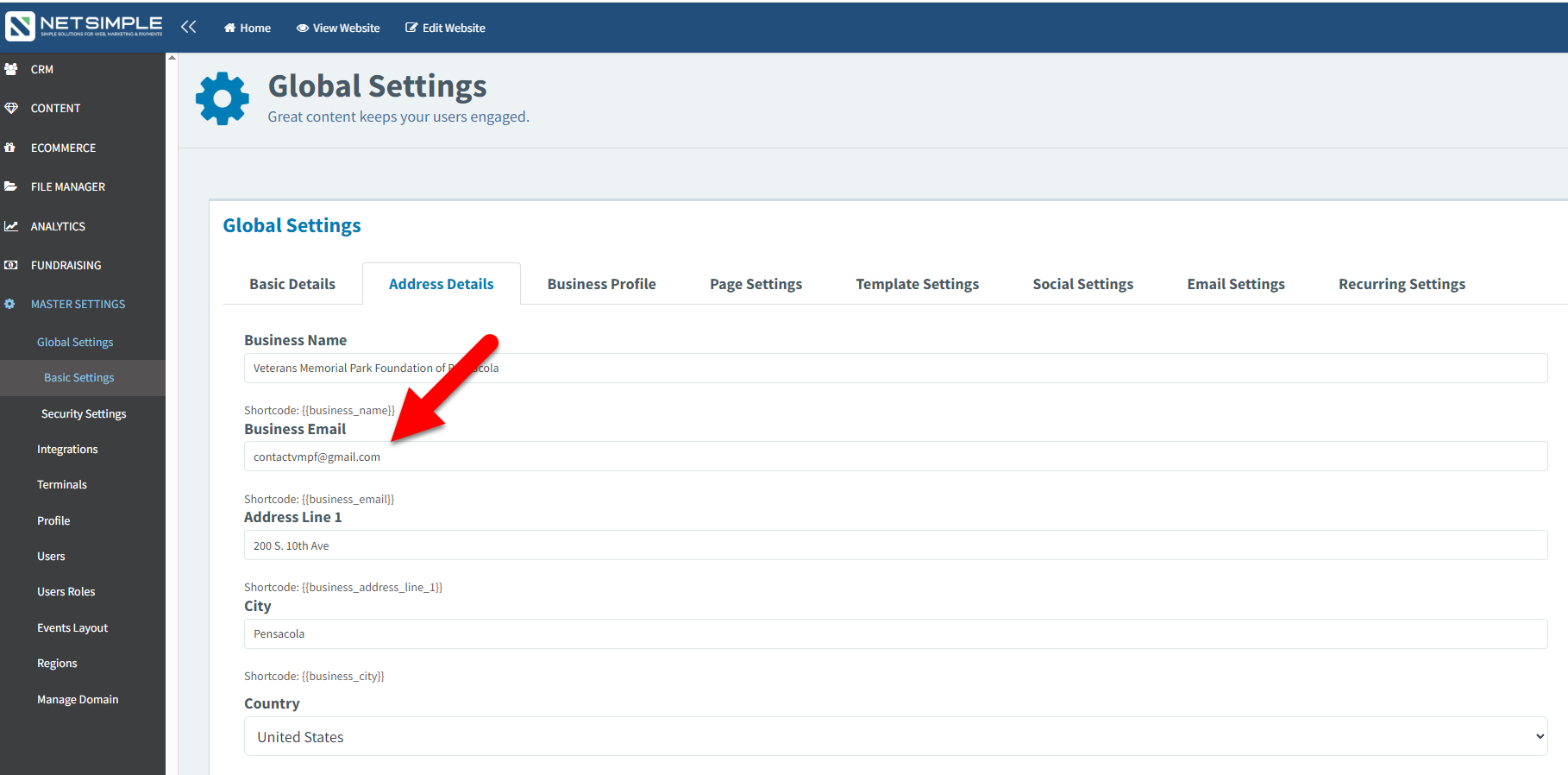
1. On the dashboard, select the "Master Settings" module, followed by the "Global Settings" option below in the dropdown.
2. Next, below Global Settings option select the "Basic Settings" option.
3. Then find and open the 2nd tab (Address Details) at the top of the screen.
4. Now find the "Business Email" field and insert the desired email recipient.
Important Note: This will be the global email used so this email will appear in the header and footer where the emails may be displayed. This is also the email that will receive form submissions if the form email field reads "{{business_name}}" as the slug.
5. Once completed scroll down to the bottom of the page and select the blue "Save" button.