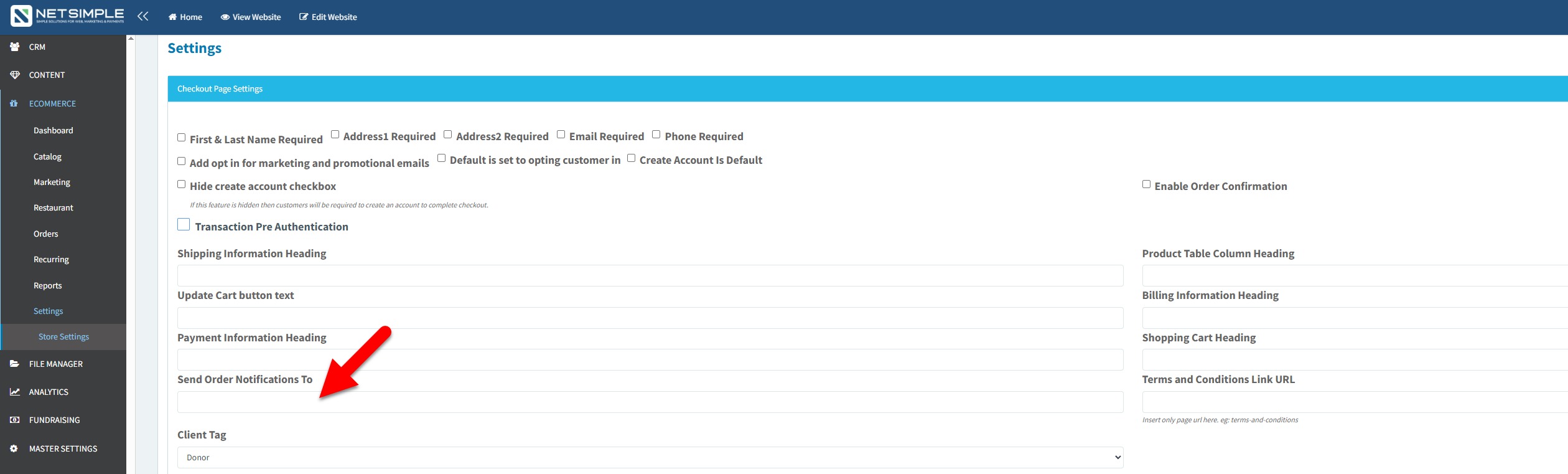
1. On the dashboard, select the "Ecommerce" module, followed by the "Settings" option below in the dropdown.
2. Next, below Settings select the "Store Settings" option.
3. Then find the "Checkout Page" tab and expand 9should be the very first box displayed.
4. Now find the "Send Order Notifications To" field and insert the desired email recipient.
5. Once completed scroll down to the bottom of the page and select the blue "Save" button.